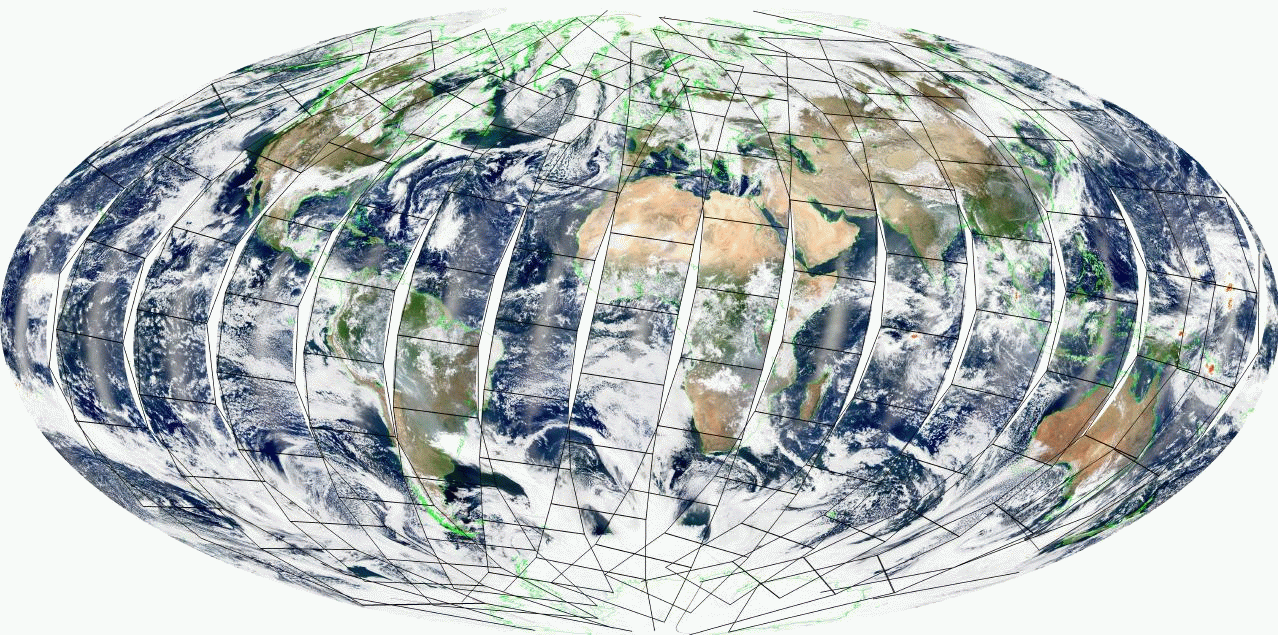
The goal is to create automatically a browse image including a granule swatch drawing
Click on the image to enlarge
| |
clear_data
set_output_directory            /Users/louisgonzalez/OUTPUTS/
set_input_directory             /Volumes/DATA/MODIS/OCTOBER7/TERRA/

#SET THE PROJECTION GEOMETRY

set_projection_to_geometry ProjectionTo="HAMMER" LatitudeMinTo=-90.0000 LatitudeMaxTo=90.0000 \
		LongitudeMinTo=-180.0000 LongitudeMaxTo=180.0000 \
		HeightTo=3604 WidthTo=7208 CenterLongitudeTo=0.0


#SET THE IMAGE BACKGROUND AND ADD MAPS

set_image_background            color=white
add_maps Coastlines=yes CoastlineColor=green
set_misc_options CloudsRGBEnhance=Yes OnlyDay=Yes


#SET THE GRANULE SWATH OPTION

set_misc_options AddGranuleBorder=yes Color=black Linewidth=4

#SET THE IMAGE COMPOSITE TYPE

set_image_RGB_composite VISIBLE


#SET THE INPUT FILES

set_input_hdf_file             /Volumes/DATA/MODIS/OCTOBER7/TERRA/GSUB1.A2*

#COMPUTE THE IMAGE RESULT

create_MODIS_RGB_Mosaic         FileName="Browse1km" ClearFile=yes RGBMode="LogStandard"  createJPEG=Yes